
Where do I see what I've earned and what I'm owed?
What you’re owed is on the Money tab. What you’ve earned this week is the Earned this week card on the Week tab.
The Money tab: things to act on
Section titled “The Money tab: things to act on”The Money tab is a list of jobs to do about money. Each part only shows when there’s something in it.
- Cash to collect: everyone who owes you, with the total at the top. If some of them are on today’s run, they’re listed first with a note to Ask while you’re there. The rest sit under Another day. If you haven’t routed today, it’s one list with the biggest amount at the top. Tap a customer, then tap Full amount or type what they gave you and tap Collected.
- Credit: if someone has paid ahead, one line says how much they’re in credit, and that it comes off their next regular visit.
- Invoices waiting: when Xero is connected and sending is on, tap Ready to invoice to send the jobs waiting.
- Wages due: hours your workers have logged that you haven’t paid yet. Tap it to open the Workers room.
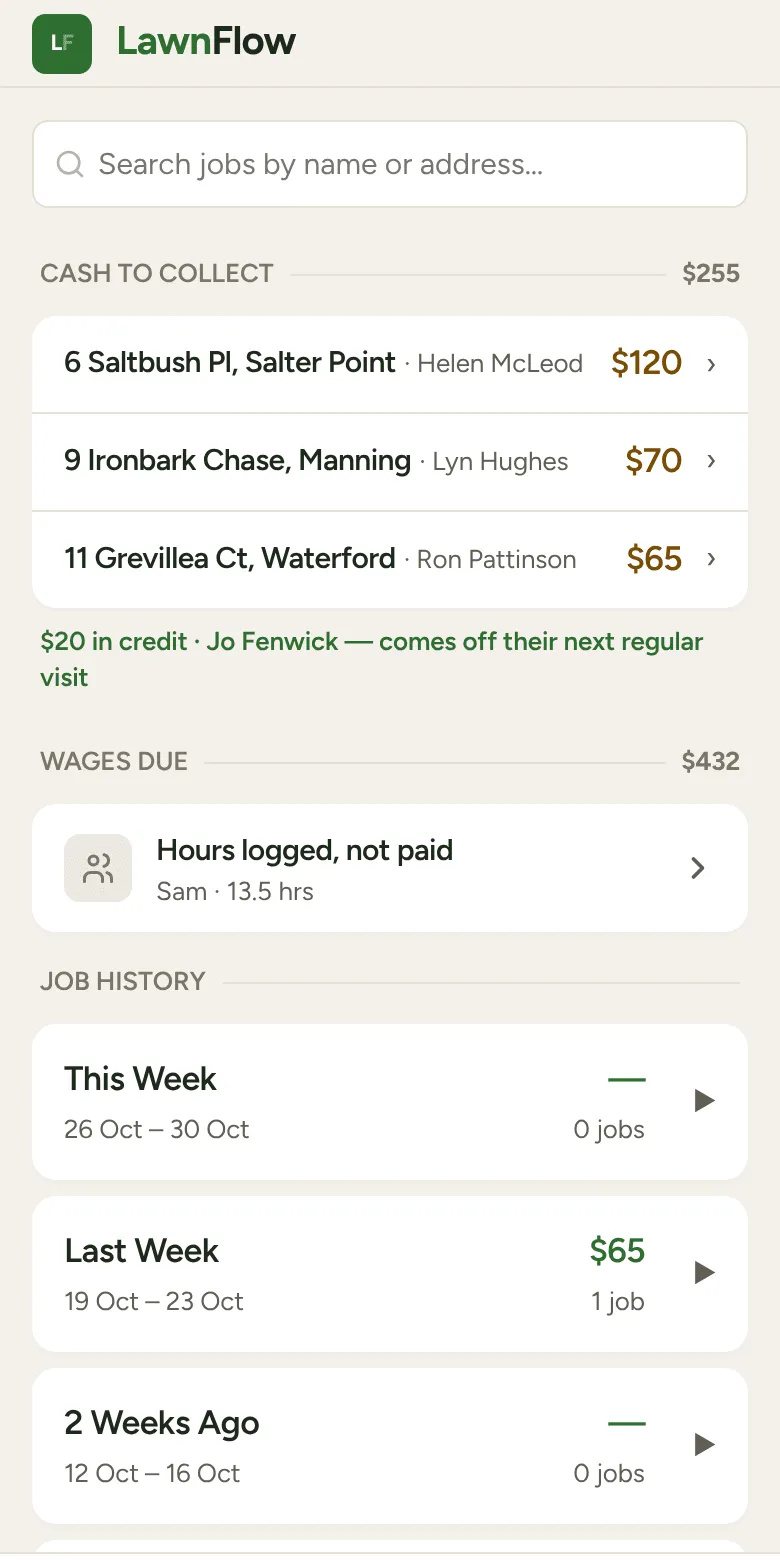
Below those is Job History: This Week, Last Week and the three weeks before. Each week shows its total. Tap a week to see the jobs in it.
The Money tab deliberately shows no profit figure. It doesn’t know about fuel, gear, super or tax, so a number like that would only look right. Your accountant or Xero is the place for that.
What you’ve earned
Section titled “What you’ve earned”- This week: open the Week tab. The Earned this week card sits beside Est. remaining, which is what the rest of the week’s jobs are worth.
- Today: on the Today tab, the heading over your finished jobs starts with Done, then shows how many jobs and their total.
One thing to know about these totals. A cash job counts the cash you took on the day. That can be more than its price (they paid off a tab too) or less (their credit covered it). A tab or invoice job counts its price on the day you did it.